
By Fredrik Brattstig @virtualbrat
We all need to have a simple work platform for connecting to your remote desktop or cloud-based services. Though, especially when you are traveling, there is a need for on-the-fly configurations, when it comes to Wi-Fi connectivity and time zone selection. IGEL recently released the IGEL OS 12 version 12.2.1, which is available via the IGEL APP Portal, and can be distributed by your IGEL UMS or installed via the local IGEL OS App Portal access. This blog focuses only on the new integrations that makes life easier, when on the road.
I have been using IGEL OS as my main platform of my edge device over at least four years, I switched to IGEL OS 12 a few months before the release of IGEL OS 12, ensuring field experience of IGEL OS 12 in alpha and beta stages of development. I’m a daily user of remoted desktops, and I have webbrowsers added to my IGEL OS endpoint. These are the tools I need for my daily work. I do 99.9% of my daily work in a remote desktop, and I enjoy it greatly!
Let’s look at the new system tray tools provided in the current version of IGEL OS:
Time Zone Selection
I was always able to change the time zone configuration of my IGEL OS endpoint, when traveling from Sweden to the US etc, but it has always been by opening IGEL Setup and configure the current time zone there. I can even create a customized setup dialogue that makes it easy to change time zone settings, but it has always been an extra step. As of IGEL OS 12.2.1 it is now possible to change the time zone by clicking the digital clock in the system tray. In the upper part of the gadget that opens, you can click the current time zone for your IGEL OS. A menu will unfold allowing you to select your current time zone.
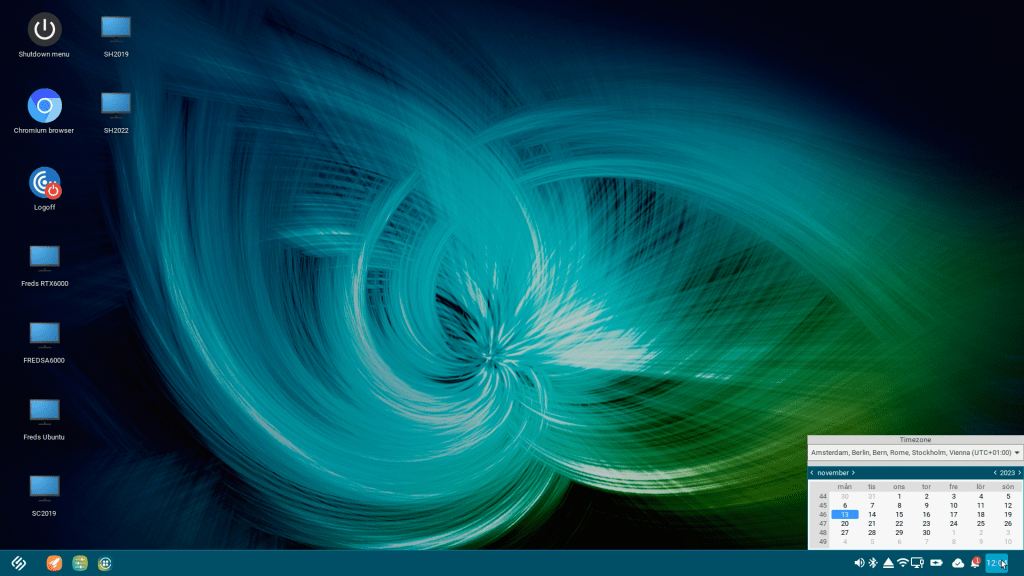

Another positive change in IGEL OS 12 is the network dialogues. It is a sneak preview of the upcoming changes of the IGEL OS user interface. Stay tuned for more info on the updated user interface!
Wi-Fi configuration
The Wi-Fi dialogue in IGEL OS 12 got a nice refresh making it more intuitive and informative. This is where users manage their Wi-Fi connections. See the system tray Wi-Fi dialogue below:

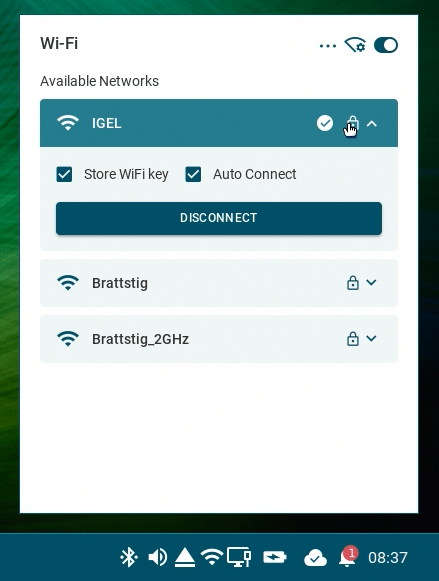


Network dialogue
The LAN connection system tray dialogue also got an updated layout in IGEL OS 12:

Notification Center
And finally, if you didn’t already know about it, IGEL OS 12 comes with a new notification center, this is where system messages will appear as an aggregated list, and it will allow me, as a user, to choose “Do not disturb” mode, which comes in handy when well, you don’t want to be disturbed 🙂


What you have seen in this blog is a series of new improvements of the IGEL OS 12 user interface, and we have just gotten started. Make sure that you check in to keep yourself updated of what’s coming! Thats it for today, take care out there!
/Fred
 VirtualBrat