
By Fredrik Brattstig @virtualbrat
21 January 2026
IGEL is proudly announcing a new client for Windows 365 and Azure Virtual Desktop. I’d like to start by saying that the IGEL Windows App should not be mistaken for the Microsoft Windows App – The differences are that Windows app from Microsoft is Microsoft 1st party clients, while IGEL Windows App is based on the Microsoft RDClientSDK for Linux, but built and developed by IGEL. Just making sure no confusion!
This is the first blog in a series of blogs about the new features implemented and explained, so stay tuned for new blogs on virtualbrat.com 👍
Today, we are focusing on the new user interface, the customization options and why IGEL did this change.
The Why?
While gathering intel on customer use cases, it’s clear that many customers in the Windows 365 and Azure Virtual Desktop (AVD) space are using a mix of Windows 365 and AVD. Previously IGEL was relying on the IGEL AVD App (which can do Windows 365 connections too, but with limited functionality), and the IGEL Windows 365 App (which only supports Windows 365 connections). As Microsoft added the functions to the RDClientSDK to address the Windows 365 use case, which includes the Windows 365 machine controls (allowing the user to rename/restart etc. of their Cloud PC’s) – IGEL made the decision to combine the IGEL AVD App and IGEL Windows 365 App into one single app – the IGEL Windows App!
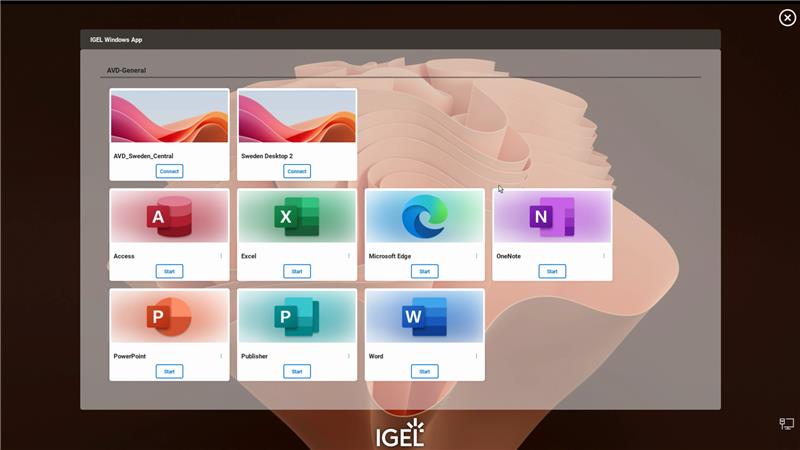
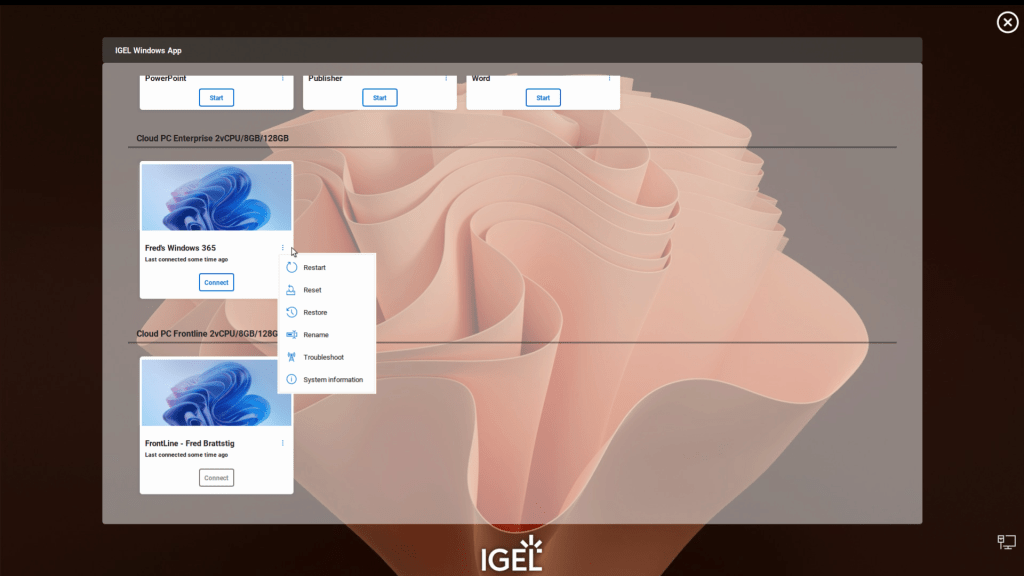
IGEL also, in collaboration with Microsoft, made the decision to slightly modify the user interface to become more similar to the user interface of the Microsoft Windows App – In large terms, the Desktop / Application tiles has been added identifying AVD sessions, Windows 365 sessions, or seamless published apps like in the images below. You also see the Cloud PC user controls menu in the second image.
The How!
When released, the IGEL Windows App will be available in the IGEL App Portal:
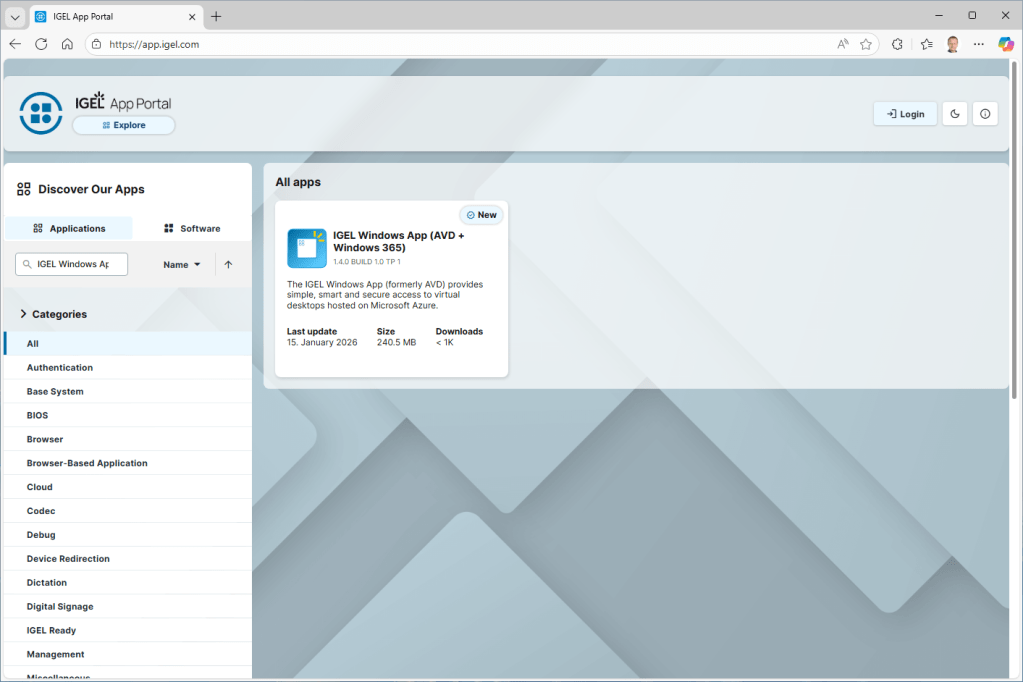
You simply just add it to your UMS and distribute it to your IGEL endpoints at will!
Important Information!
The IGEL Windows App, under the hood, has kept the naming scheme of the IGEL AVD App, which means that if you previously were using the IGEL AVD App, your profiles that you created will work with the new IGEL Windows App.
Though, if you previously used the IGEL Windows 365 App, you would need to create new profiles, and distribute to your endpoints simultaneously as the IGEL Windows App.
By the release of the IGEL Windows App, both the IGEL AVD App, and the IGEL Windows 365 App will be deprecated, and will not receive any further updates.
The When?
While the IGEL Windows App is in technical preview, it can be received and tested by customers. For a test-run, reach out to your connected IGEL Sales Engineer.
Keep in mind that technical preview state apps are not intended nor supported in production scenarios.
We expect to have a release of IGEL Windows App during the course of February 2026
Here is a small video of the user interface of IGEL Windows App. Enjoy!
/Fred
 VirtualBrat